
How to Learn Piano for Beginners: A Practical Roadmap
Ten steps from the shape of the keyboard to playing hands together, in the order that actually works.
Piano for Android
Most piano apps assume you already read music. PianEd starts before that — with finding middle C — and takes you all the way to seventh chords, minor keys and playing hands together.
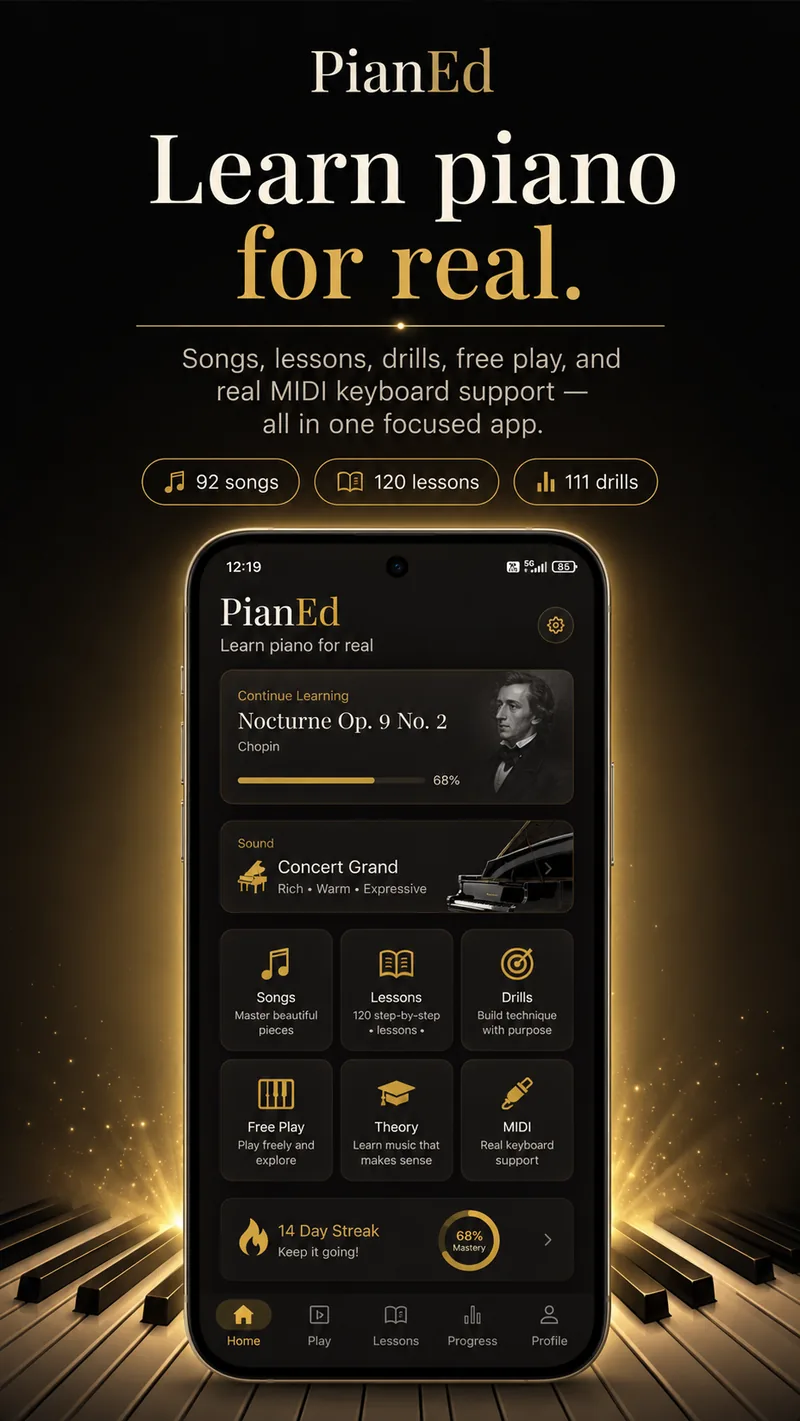
How it works
Playing, understanding and technique reinforce each other, and learning them apart is why so many people stall. PianEd runs all three together, so the theory you read on Monday turns up in the piece you play on Tuesday, and the scale you drilled on Wednesday is the one that piece is built from.
Learn real pieces with falling notes that wait for you until you are ready. Traditional melodies through to Bach, Chopin, Beethoven and Schumann, all arranged for learners rather than dropped in at concert difficulty.
Slow any piece down without it sounding wrong, zoom the keyboard to the span your hands actually need, and switch between falling notes and written stave as your reading improves.
120 short lessons with animated diagrams. From the musical alphabet and the stave through to cadences, the circle of fifths, and writing music of your own.
Each lesson ends with a quiz, so you find out whether it stuck rather than assuming it did. Nothing takes more than a few minutes.
111 technique drills graded as you play, with the correct fingering shown on every single exercise — including the awkward ones most apps quietly skip.
Five-finger patterns, scales with the thumb-under crossing, arpeggios, inversions, sevenths and jazz voicings, in the order a teacher would introduce them.
A typical session
The hardest part of learning an instrument alone is not the playing. It is knowing what to do when you sit down. PianEd answers that before you have to think about it.
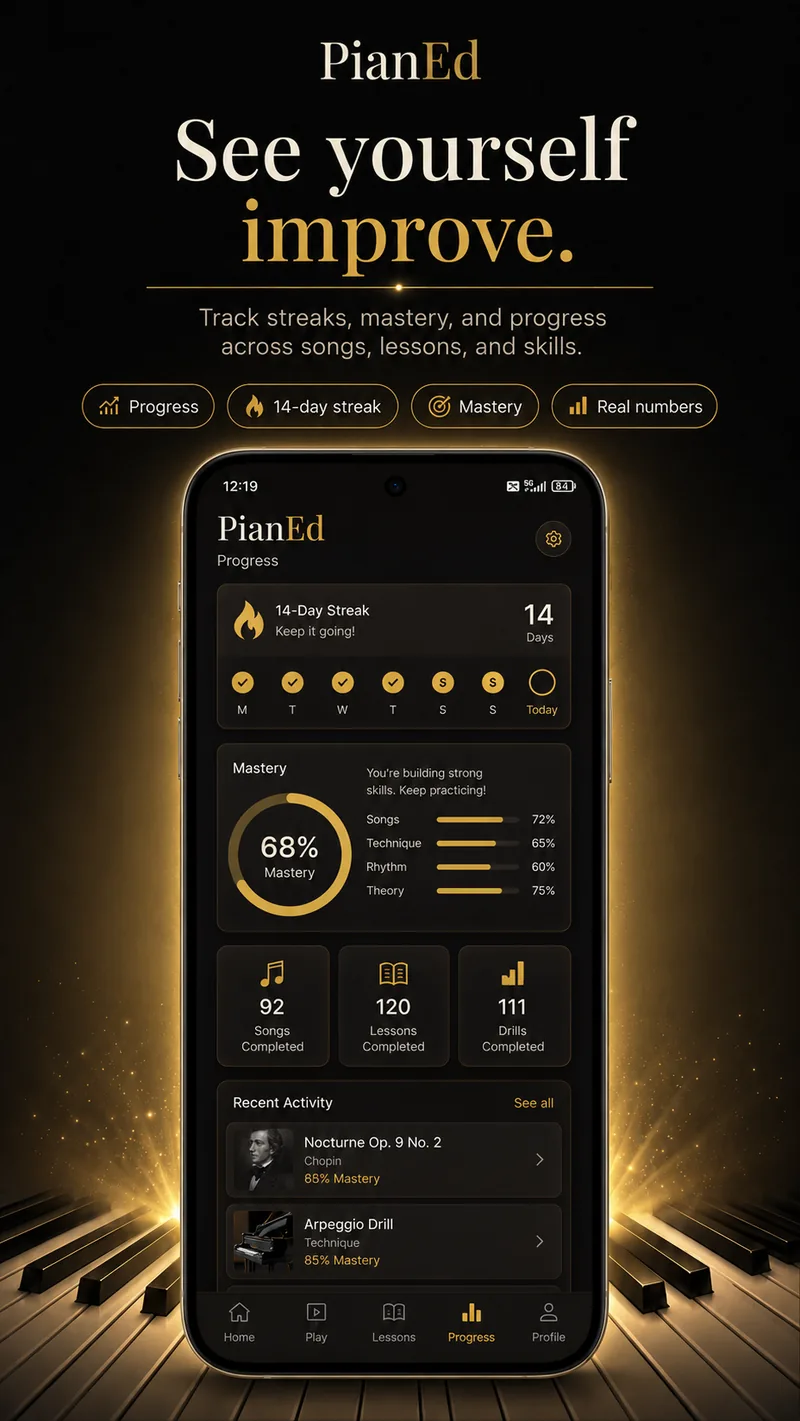
The curriculum
Six levels, each building on the last, following the order a good teacher would actually use. Level 1 is free forever, so you can judge the whole approach before deciding whether it is worth paying for.
The keyboard, posture, hand shape, finding middle C, reading the stave, and your first songs with one hand.
Five-finger positions in C and G, rhythm and time signatures, intervals, and both hands playing at once — the step where most self-taught players get stuck.
The thumb-under crossing, complete major scales, key signatures, triads and the primary chords behind most songs ever written.
Minor keys, the circle of fifths, chord inversions, arpeggiated accompaniment, cadences and two-octave scales.
Seventh chords, syncopation, musical form, dynamics, pedalling and the ii–V–I progression that underpins most of jazz.
Two-voice independence, triplets and polyrhythm, jazz voicings, lead sheets, and composing pieces of your own.
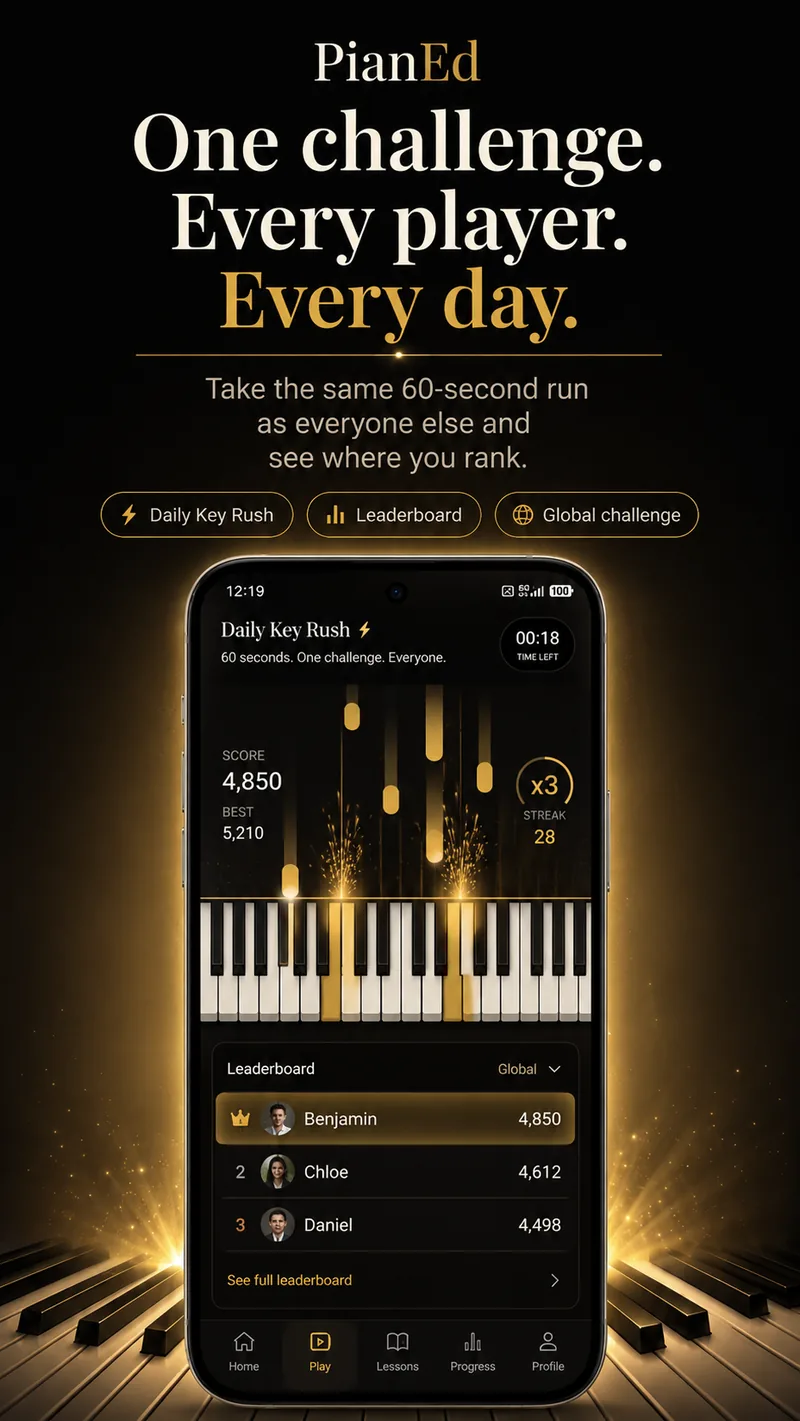
Daily Key Rush
Every day brings a single challenge, identical for every player in the world. Hit the notes as they land, build a streak to multiply your score, and see where you finish on the daily leaderboard. It takes just 60 seconds and is designed to give you a reason to practise even on busy days.
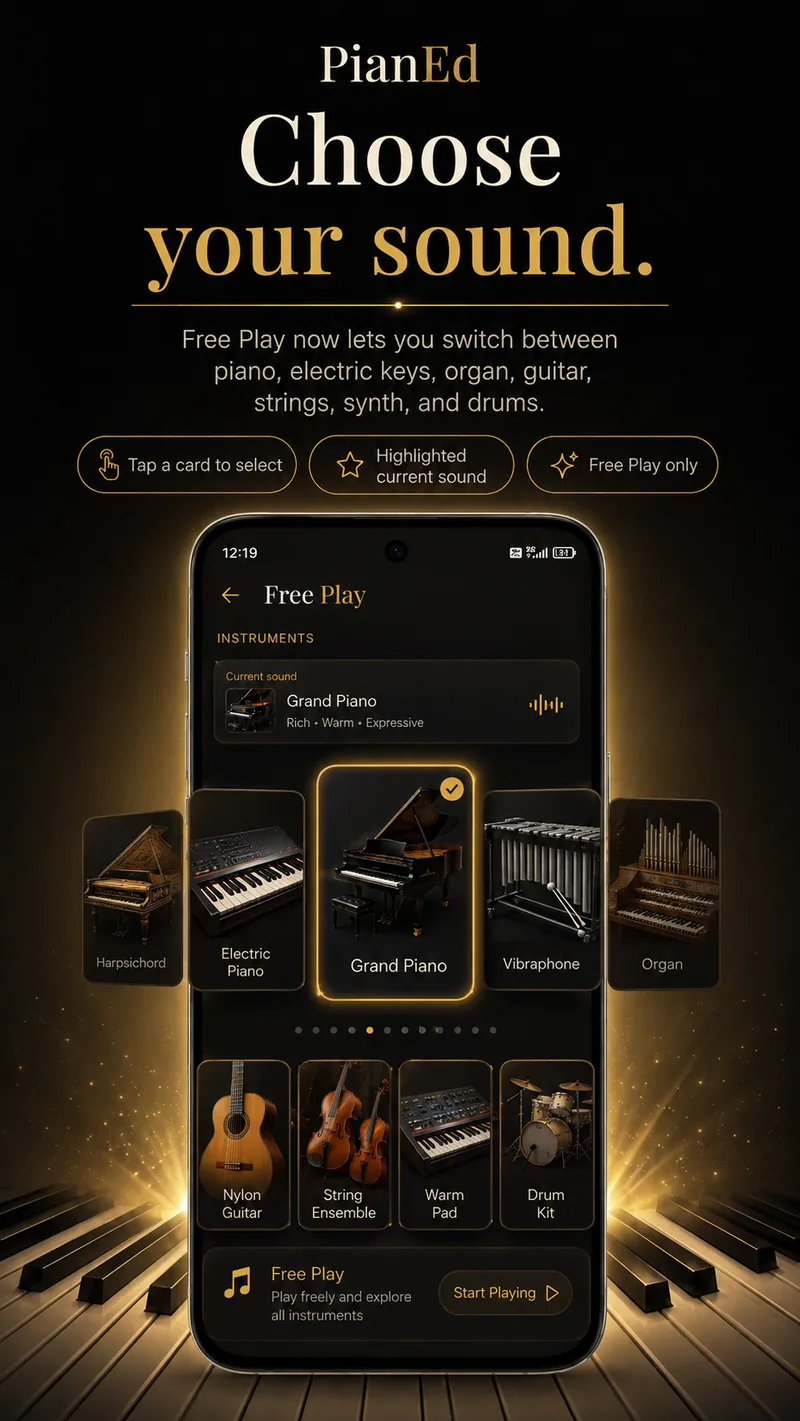
Free Play
Not every minute at the keyboard has to be a lesson. Free Play gives you the whole keyboard and twelve instrument voices to explore — grand and concert piano, electric piano, harpsichord, organ, vibraphone, guitars, strings, synth pad and a drum kit.
Pick a sound from the carousel and play. The curriculum stays on the grand piano regardless, so choosing a synth pad here never changes how a lesson sounds or how it is graded.
Real keyboards
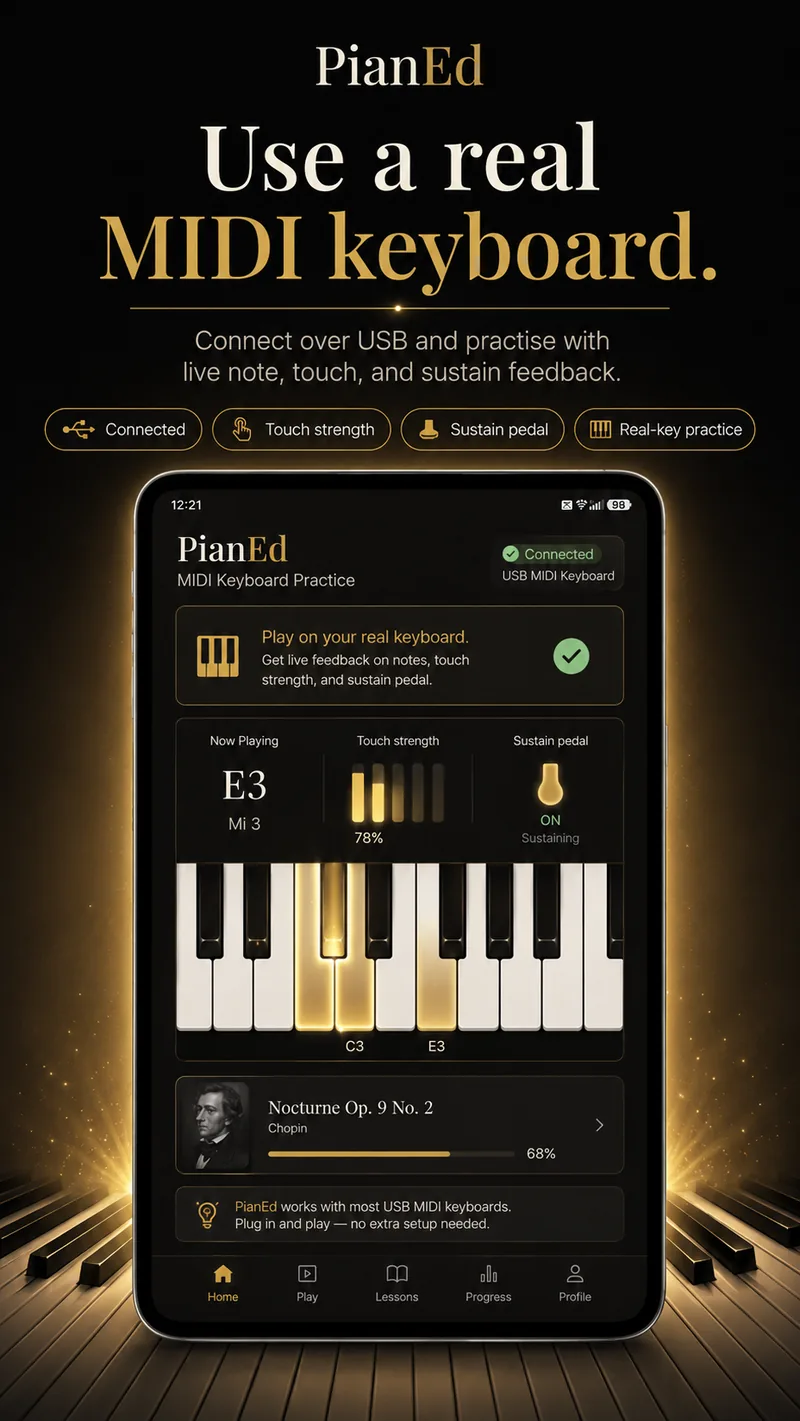
PianEd is built so the on-screen keyboard is a genuine way to learn, not a consolation prize. Everything — every lesson, song, drill and the daily challenge — is fully playable on a phone or tablet screen.
Accounts and privacy
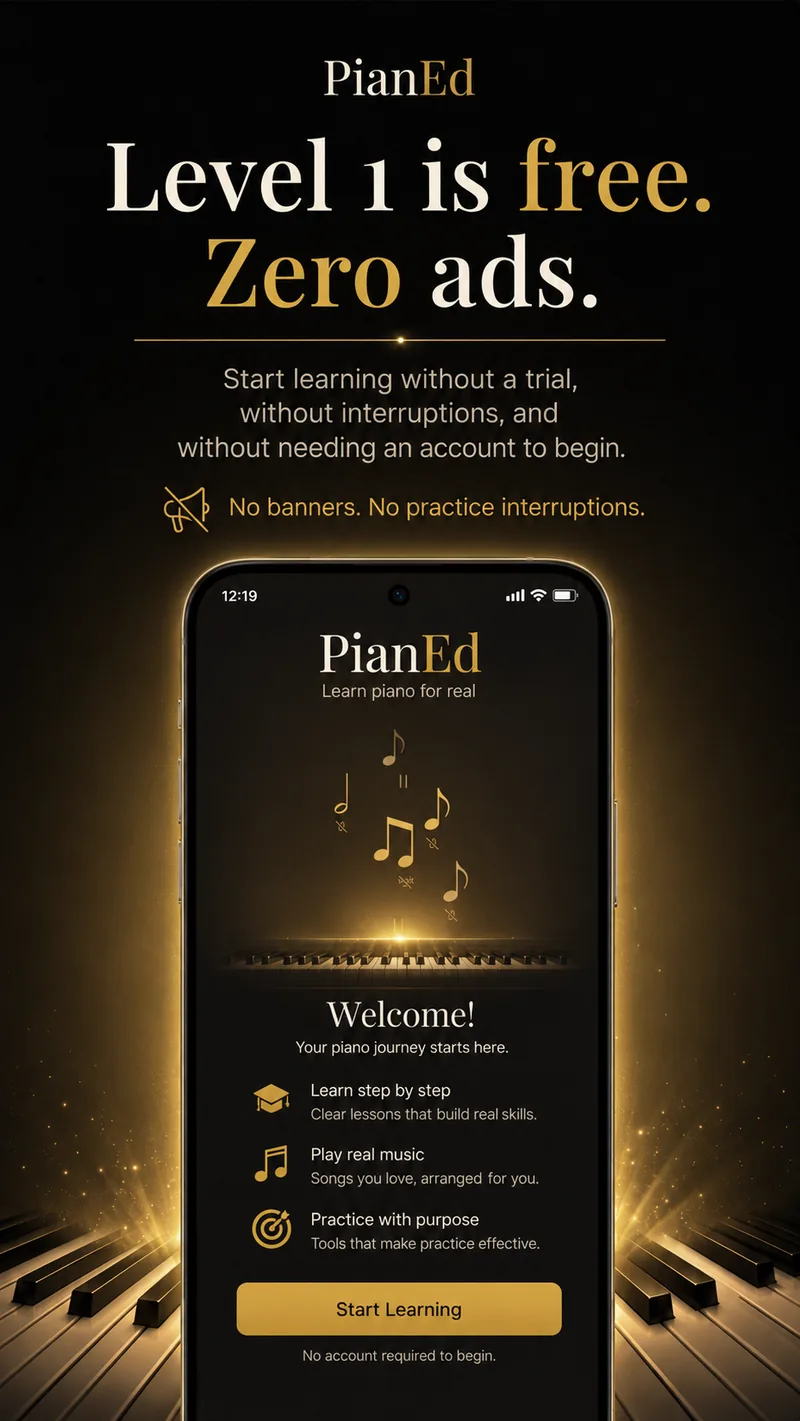
You can open PianEd and start playing as a guest — no email, no password, nothing sent anywhere. Everything stays on your device.
Create a free account with an email address or with Google, and your progress follows you to a new phone. Sign up later and the progress you made as a guest comes with you.
PianEd Pro plans cover one, two or five profiles. Each keeps its own progress, streak and mastery percentage, so a beginner and an intermediate player share a subscription without sharing a scoreboard.
No advertising identifiers, no cross-app tracking, and nothing sold to anyone. You can delete your account and everything in it from inside the app, in about four taps. Read the privacy policy.
Why PianEd
Almost everyone who wants to play piano has already tried once. The usual reasons it did not last are all design problems, and they are the ones this app was built around.
| The usual reason people quit | What PianEd does instead |
|---|---|
| The first lesson assumes you can already read music | Starts at finding middle C, with no musical background assumed |
| Notes scroll past faster than you can play them | Wait mode holds on each note until you find it |
| Fingering is never shown, so bad habits set | Standard fingering on all 111 drills, thumb-under included |
| Theory is a separate quiz game with no music in it | Lessons are paired with the pieces that use them |
| You need to buy a keyboard before lesson one | Everything is playable on screen; MIDI is optional |
| Nothing brings you back on a busy day | Daily Key Rush takes sixty seconds |
Pricing
Level 1 is not a trial. It does not expire, it does not ask for a card, and it does not degrade after a week. If you never subscribe, you keep it.
Prices vary by country and are shown in the app before you commit to anything. Cancel any time in Google Play.
From the blog
Practical beginner guides, written for people teaching themselves.
Ten steps from the shape of the keyboard to playing hands together, in the order that actually works.
Minute by minute: what to do when you sit down, and why fifteen minutes is enough.
Key feel, key count, speakers and pedals — what actually matters when you buy your first instrument.
Questions
No. Every lesson, song and exercise is playable on the on-screen keyboard, so you can learn on a phone or tablet. If you own a MIDI keyboard you can connect it over USB, but it is entirely optional and nothing is gated behind it.
Yes, and that is really the point of it. PianEd starts before the notes: how to find middle C, how to sit at the keyboard, and how to shape your hand. It assumes no prior music reading at all.
The whole of Level 1 is free forever, with no card required. You can play as a guest without creating an account at all. A PianEd Pro subscription unlocks Levels 2 to 6 across all three paths.
Everyone progresses at a different pace. PianEd begins with the fundamentals and lets you move through the six-level path at your own speed. Short, consistent practice is generally more useful than trying to rush through the curriculum.
Yes. Every technique drill gives the standard fingering for that scale, arpeggio or chord, including the thumb-under crossing and the awkward cases most apps skip.
Yes. Lessons, songs and drills live on your device and play without a connection. You only need one to sync progress between devices, to download premium content the first time, and to submit a Daily Key Rush score to the leaderboard.
Yes. PianEd Pro comes in one-profile, two-profile and five-profile plans. Each profile keeps its own progress, streak and mastery percentage, so a complete beginner and someone on Level 4 can share an account without treading on each other.
PianEd contains no advertising today, and carries no advertising identifiers. If optional rewarded video is ever offered to free learners, it would be something you choose to watch in exchange for something — never an interruption in the middle of a lesson.
Create a free account and your progress syncs automatically. Playing as a guest keeps everything on the device instead, which is fine — you can make an account later and your guest progress comes with you.
The app is in English today. It was built with localisation in place from the start, so further languages can be added without rebuilding the lessons.
Any time, in the Google Play Store, and you keep access until the period you have paid for ends. You can also delete your account entirely from inside the app.
As little as possible. If you use guest mode, nothing leaves your device. If you create an account we store an email address, a display name and your progress. We do not sell data, show ads or track you across other apps. The full detail is in the privacy policy.
Free to start, no account needed, and nothing to cancel if you decide it is not for you.
Android 7.0 or later · Level 1 free forever · No card required