
Connecting, in three steps
There is no pairing code, no driver and no configuration screen beyond choosing your device.
Plug the keyboard into your phone
Most Android phones need a USB OTG adapter — USB-C on the phone side, USB-A socket for the keyboard’s cable. If your keyboard needs its own power supply, connect that too; bus power from a phone is not always enough.
Open the MIDI screen in PianEd
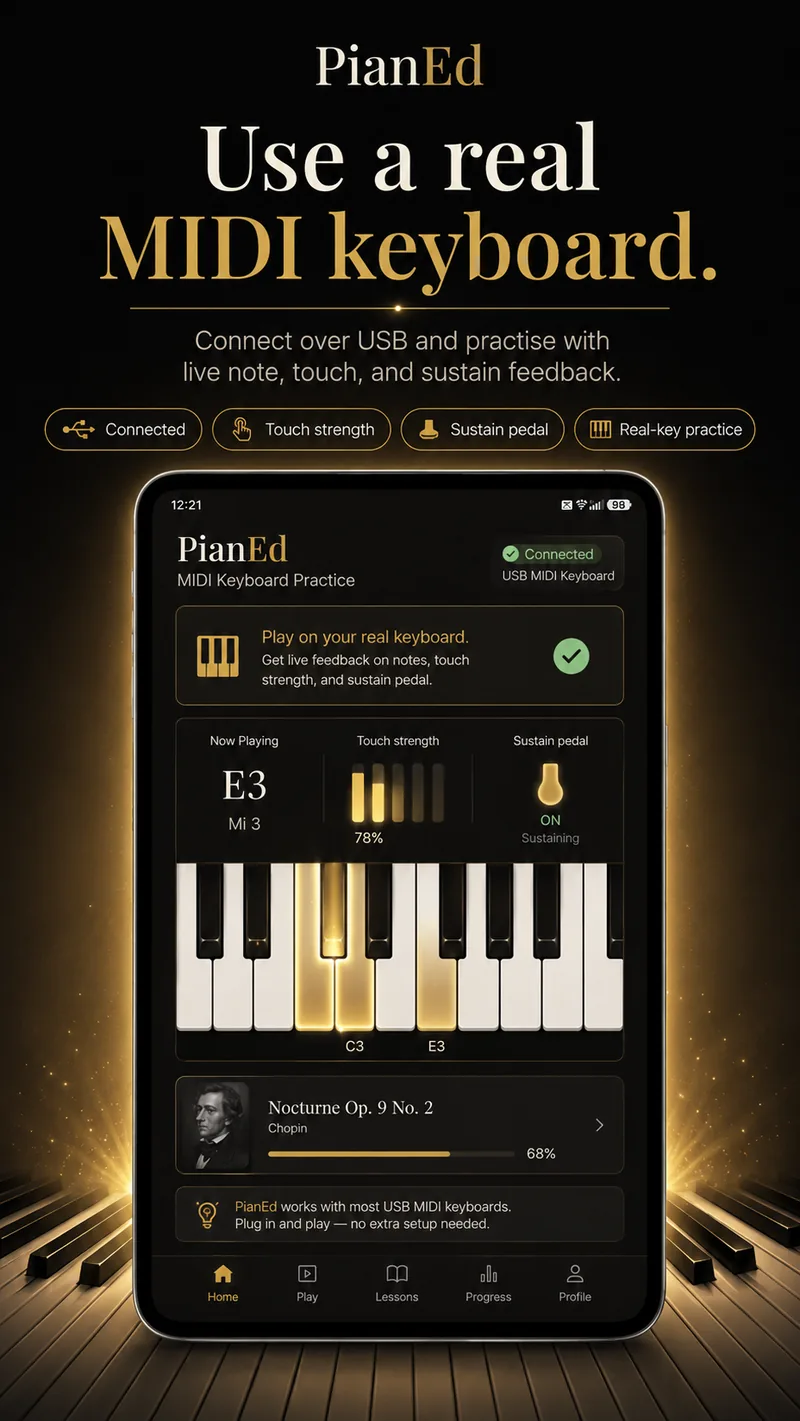
Your keyboard appears in the device list. Tap it to connect. The status at the top of the screen changes to connected.
Play a key
The note name, how hard you struck it and the sustain pedal state appear live. Once that works, every lesson, song and drill in the app accepts those keys.
What the MIDI screen shows you
- The note you played, by name and octave — useful on its own while you are still learning where things are.
- Touch strength, shown plainly as soft, medium or strong rather than as a raw number. Evenness of touch is a real technique goal and this is the only way to see it.
- Sustain pedal state, so you can confirm your pedal is wired the right way round before you blame your playing.
- Connection status, at the top, always, so you are never wondering whether the silence is you or the cable.
There is also an advanced panel with the raw diagnostics, for the rare occasion when a device behaves strangely and you want to see what it is actually sending.
Honest limits
Stated plainly, because a support page that pretends everything always works is not a support page.
USB is the reliable path
Bluetooth MIDI is built in and currently in beta. If you have the choice, use the cable.
Class-compliant devices
Keyboards that work without a driver on a computer are the ones that work here. Most modern controllers and digital pianos qualify.
Power matters
A phone may not supply enough bus power for a larger keyboard. If it is detected but silent, connect the keyboard’s own power supply.
No hardware is required
Every lesson, song, drill and the daily challenge are fully playable on the screen. Buy an instrument when you are sure you want one.
Questions
Frequently asked
Which MIDI keyboards work with PianEd?
Class-compliant USB MIDI keyboards and digital pianos — the ones that work on a computer without installing a driver. That covers most modern controllers and digital pianos.
What cable do I need?
Usually a USB OTG adapter: USB-C on the phone side, with a USB-A socket for the cable that came with your keyboard. Some keyboards use a USB-C cable directly.
My keyboard is detected but there is no sound. Why?
The most common causes are the phone not supplying enough bus power, the keyboard's local control or volume being turned down, or the wrong MIDI channel on a multi-channel controller. Connect the keyboard's own power supply first — that fixes it most often.
Does PianEd support the sustain pedal?
Yes. Sustain arrives as a standard control message and is shown live on the MIDI screen.
Does Bluetooth MIDI work?
It is built in and currently in beta. USB is the reliable connection today.
Do I need a MIDI keyboard to use PianEd?
No. Nothing in the app is gated behind hardware. The on-screen keyboard is a genuine way to learn, not a consolation prize.
Keep reading
Bring your own keys
Plug in over USB and every lesson, song and drill accepts real keys.
Android 7.0 or later · Level 1 free forever · No card required