
The twelve voices
Chosen to be genuinely different from each other rather than twelve variations on a piano.
Pianos
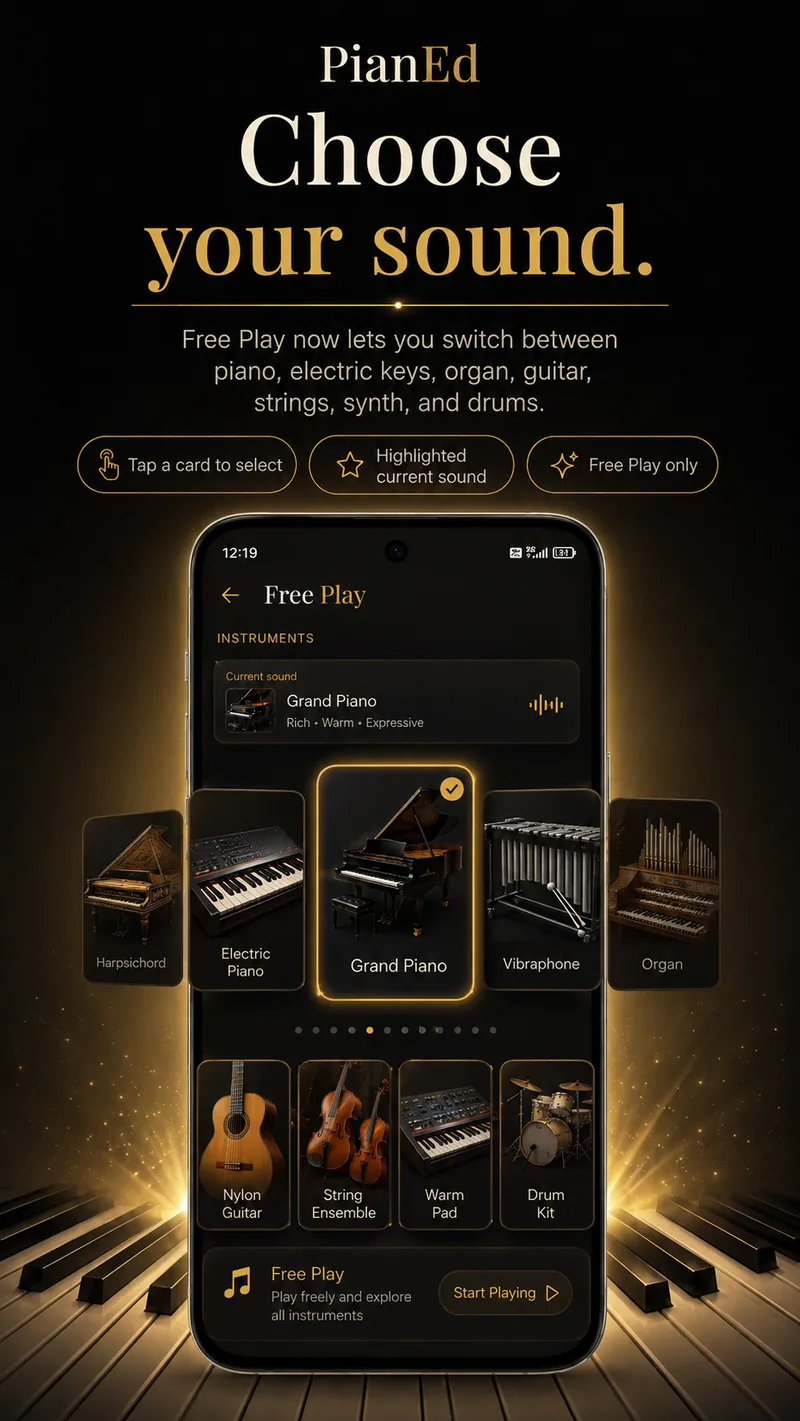
Grand piano — the curriculum sound, bright and warm. Concert grand, richer and more expressive. Electric piano for something softer.
Keyboards with a different character
Harpsichord, church organ and vibraphone. Each behaves differently under the fingers, which is a lesson in itself.
Strings and guitars
Nylon guitar, steel guitar and a string ensemble — useful for hearing how a chord voicing sits when it is not a piano playing it.
Pads and synths
Warm pad and synth voices that sustain, which makes slow harmonic movement much easier to hear.
Drum kit
Switch to drum mode and the keys become a sixteen-pad kit — kick, snare, hats, toms, cymbals and percussion. Rhythm practice without a metronome telling you off.
Your choice is remembered
Pick a sound and it is still there next time you open Free Play.
Lessons always sound like a piano
This is deliberate, and it matters more than it sounds. Choosing a synth pad in Free Play does not change how a lesson sounds, how a drill is graded, or what the Daily Key Rush plays.
The curriculum stays on the grand piano, always, so that the instrument you are being taught on never changes underneath you — and so that an experiment in Free Play can never quietly alter the thing you are being assessed against.
Free Play is the sandbox. The lesson is the lesson.
What people use it for
Warming up
Two minutes of playing whatever you feel like, before the structured part of a session. It works better than starting cold.
Working something out by ear
No falling notes, no grading, no waiting — just the keyboard and a tune you are trying to find.
Hearing harmony differently
Play the same chord on strings, then organ, then vibraphone. Voicing decisions stop being abstract very quickly.
Rhythm on the drum pads
Tapping a beat is a faster route to internalising it than counting it.
Handing the phone to a child
Nothing here can be broken, unlocked by accident or spent.
Real keys, twelve sounds
With a MIDI keyboard connected, Free Play is the cheapest multi-instrument module you will ever own. MIDI setup.
Questions
Frequently asked
How many instrument sounds are in Free Play?
Twelve, including grand and concert piano, electric piano, harpsichord, organ, vibraphone, nylon and steel guitar, string ensemble and a synth pad — plus a separate drum-kit mode.
Does changing the sound affect my lessons?
No. The curriculum always plays on the grand piano, so a choice made in Free Play never changes how a lesson sounds or how a drill is graded.
Is Free Play free?
Yes, all twelve sounds are available on the free tier.
Does Free Play work with a MIDI keyboard?
Yes. Connect over USB and your keyboard plays whichever voice is selected.
Does it work offline?
Yes. The instrument sounds are stored in the app, so Free Play needs no connection at all.
Keep reading
Twelve sounds and nothing to complete
Free Play is part of the free tier. Open it and play whatever you like.
Android 7.0 or later · Level 1 free forever · No card required